How to Track Job Applications (Without Losing Your Mind)
You've Probably Already Lost Track
If you've applied to more than 20 jobs, you've probably already lost track of at least a few. Which version of your CV did you send to that fintech startup? Did you even hear back from that marketing role? When was the deadline for that grad scheme you bookmarked last week?
You're not alone. Most job seekers start organized and slowly descend into chaos. The good news: it doesn't take much to fix.
The Simple System That Works
At minimum, track four things for every application:
- Company name and job title
- Date applied
- Current status (applied, heard back, interview scheduled, rejected, etc.)
- Which CV version you sent
A spreadsheet works perfectly for this. Create four columns, one row per application, and update it every time something changes. That's it. You don't need a fancy tool to track your first 15-20 applications.
What Your Spreadsheet Should Look Like
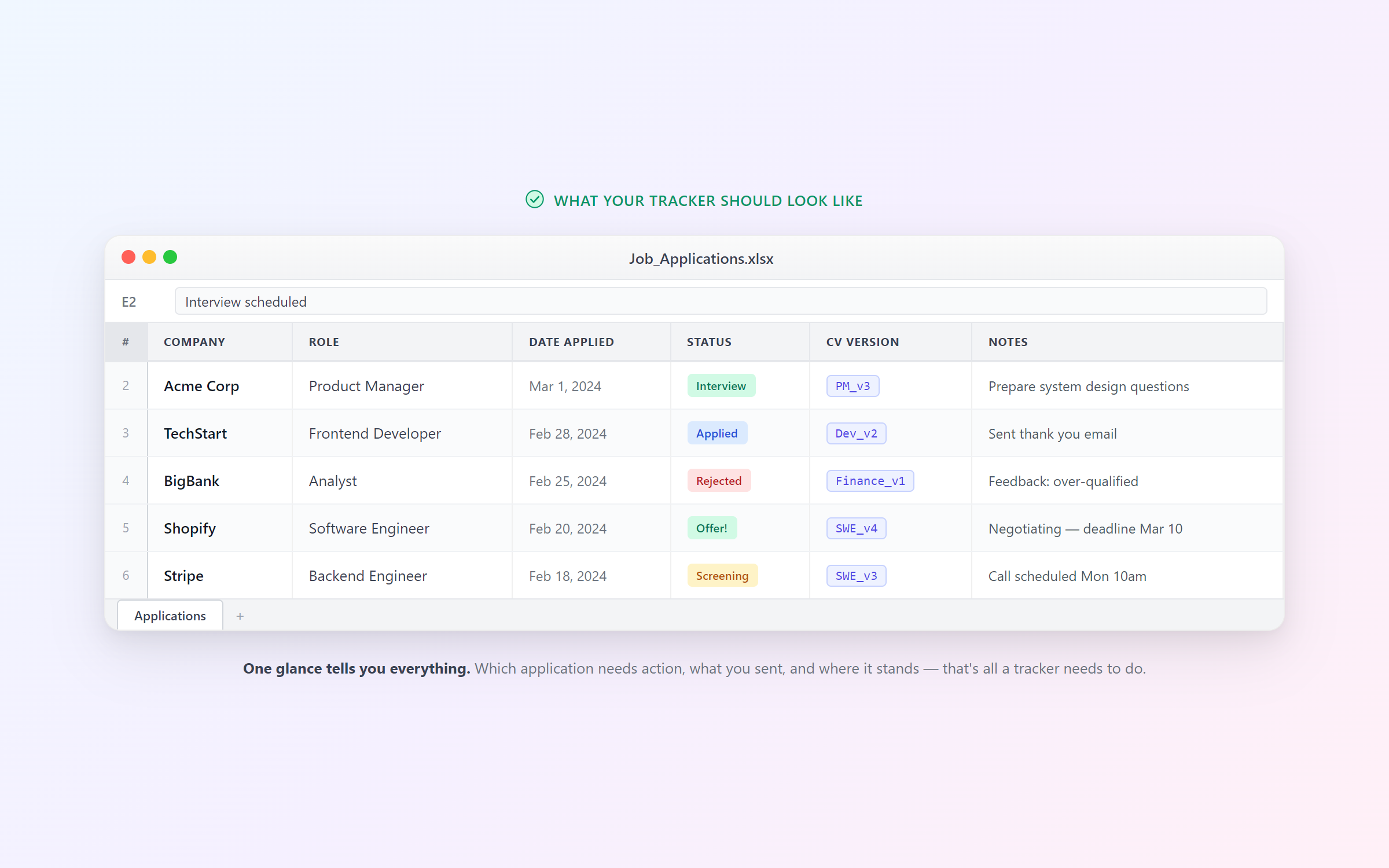
Keep it simple. Don't add 15 columns on day one — you'll stop updating it by day three.
Where Spreadsheets Break Down
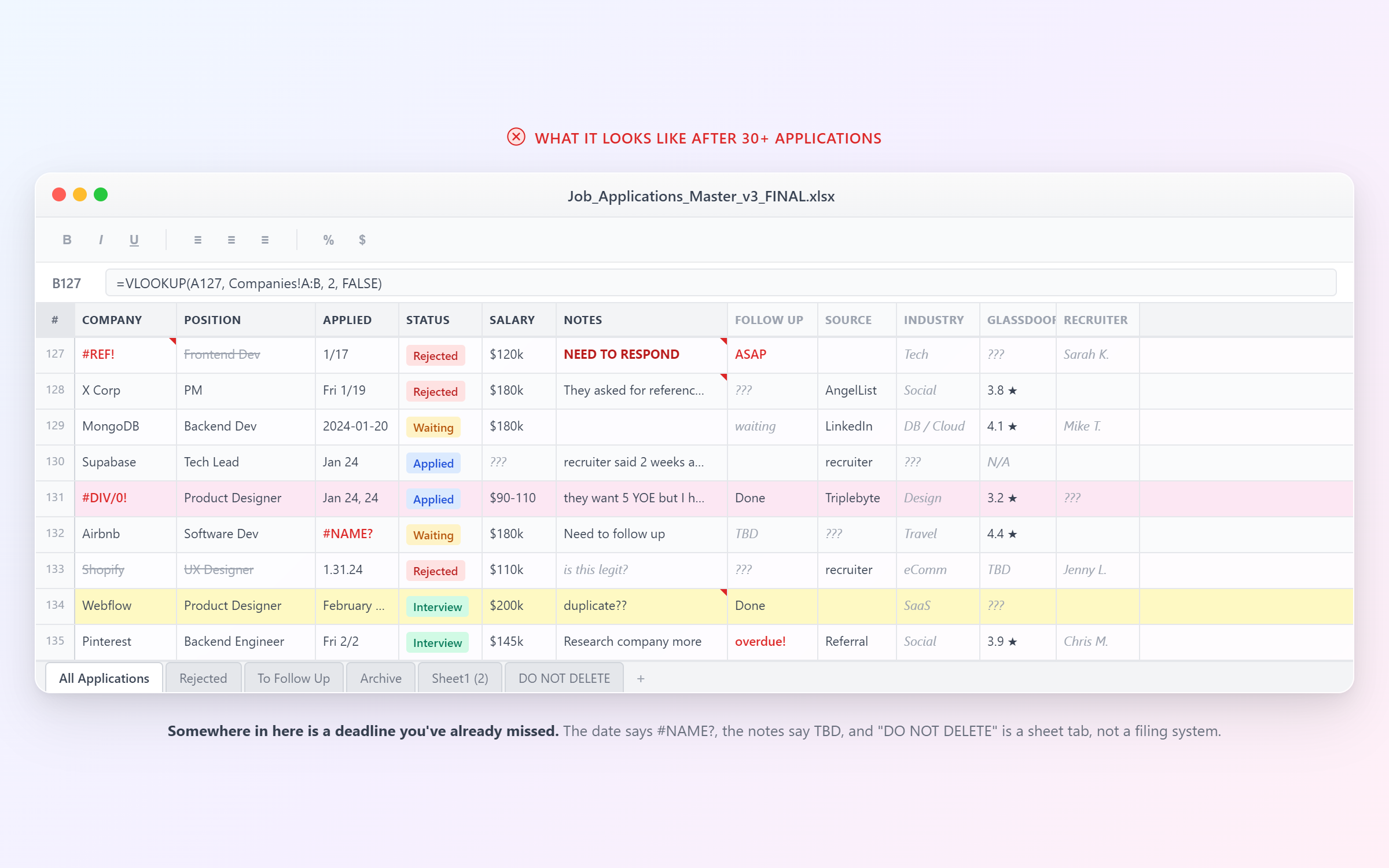
This system works until you hit about 30 applications. Then reality sets in:
- You forget to update the spreadsheet after getting a rejection email
- You can't remember which company had the deadline this Friday
- Interview dates slip through the cracks because they're in your email, not your tracker
- You lose track of which tailored CV you sent where
- Your notes are scattered across the spreadsheet, your email, and random sticky notes
The spreadsheet doesn't remind you of anything. It doesn't pull in job details automatically. It doesn't connect to your calendar. It's just a grid that requires constant manual upkeep.
When You Need Something Better
This is exactly the problem we built Jobbital's application tracker to solve. Instead of manually entering every detail, you paste a job listing URL and AI extracts the job title, company, location, deadline, salary range, and requirements automatically. Your application is tracked in seconds.
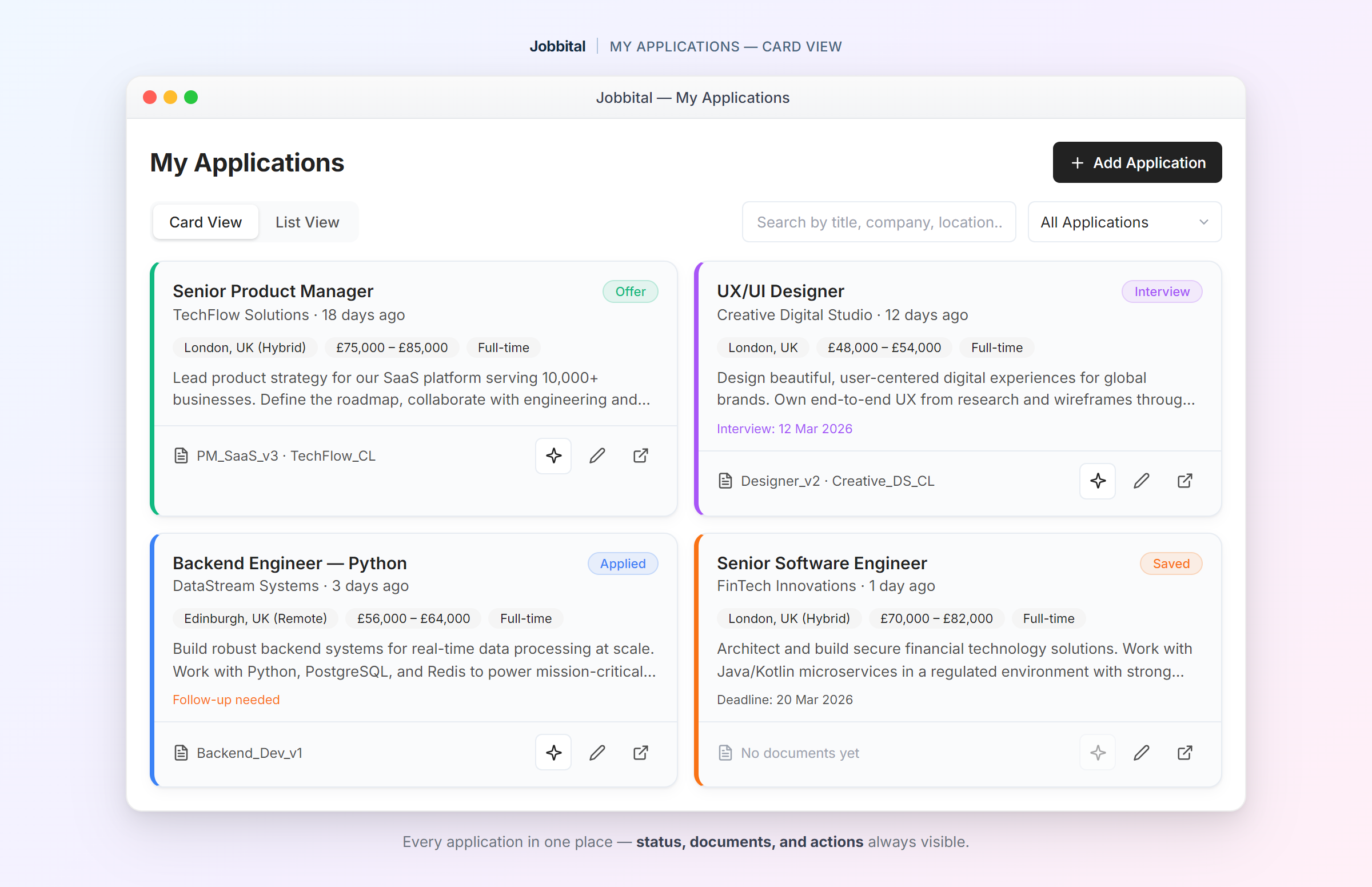
Every application has a status that you update as it progresses — Saved, Applied, Screening, Interview Scheduled, Offer, Rejected, or Withdrawn. Filter by status at any time to see exactly where things stand.
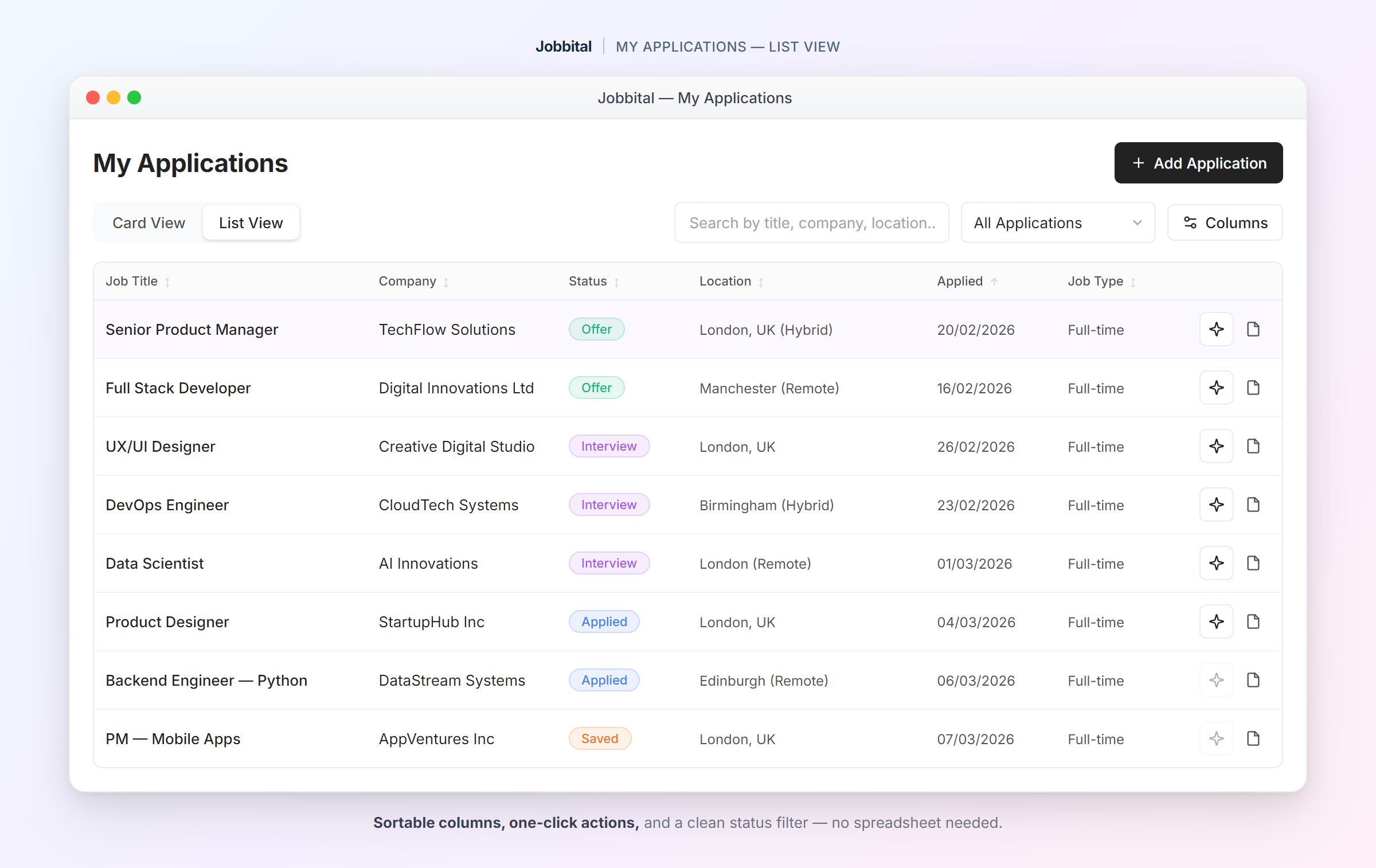
Deadlines sync to your calendar automatically. No more missed application windows because you forgot to set a reminder. The CV you used for each application is linked directly, so you always know what you sent to whom.
Tips for Staying Organized (Whatever System You Use)
Check Your Tracker Daily
Spend two minutes each morning scanning for updates. Did any statuses change? Are any deadlines approaching? Is there a follow-up you've been putting off?
Follow Up at the Right Time
If you haven't heard back after 7-10 business days, send a brief follow-up email. Your tracker should make it easy to see which applications are overdue for a response.
Update Status Immediately
The moment you get a rejection email, an interview invite, or any response — update your tracker. If you say "I'll do it later," you won't.
Know When to Move On
If an application has been sitting at "Applied" for three weeks with no response and no follow-up reply, it's probably a no. Mark it and focus your energy on active opportunities.
Review Weekly
Once a week, look at the full picture. How many applications did you send? How many are in active stages? Are you spreading yourself too thin or not applying enough? This five-minute review keeps your search on track.
Try Jobbital's Application Tracker
See how Jobbital's Application Tracker can help — free to start.
No credit card required. Free plan available.